
How to Find Hyundai Specifications and Features
Search Window Sticker
Table of Contents
Key Takeaways
- Hyundai specifications can change by model year, trim, engine, and drivetrain.
- Hyundai USA is useful for researching specifications and features on current models.
- A VIN lookup can help identify information connected to one specific Hyundai.
- Window stickers and build records can provide factory equipment and original pricing details where available.
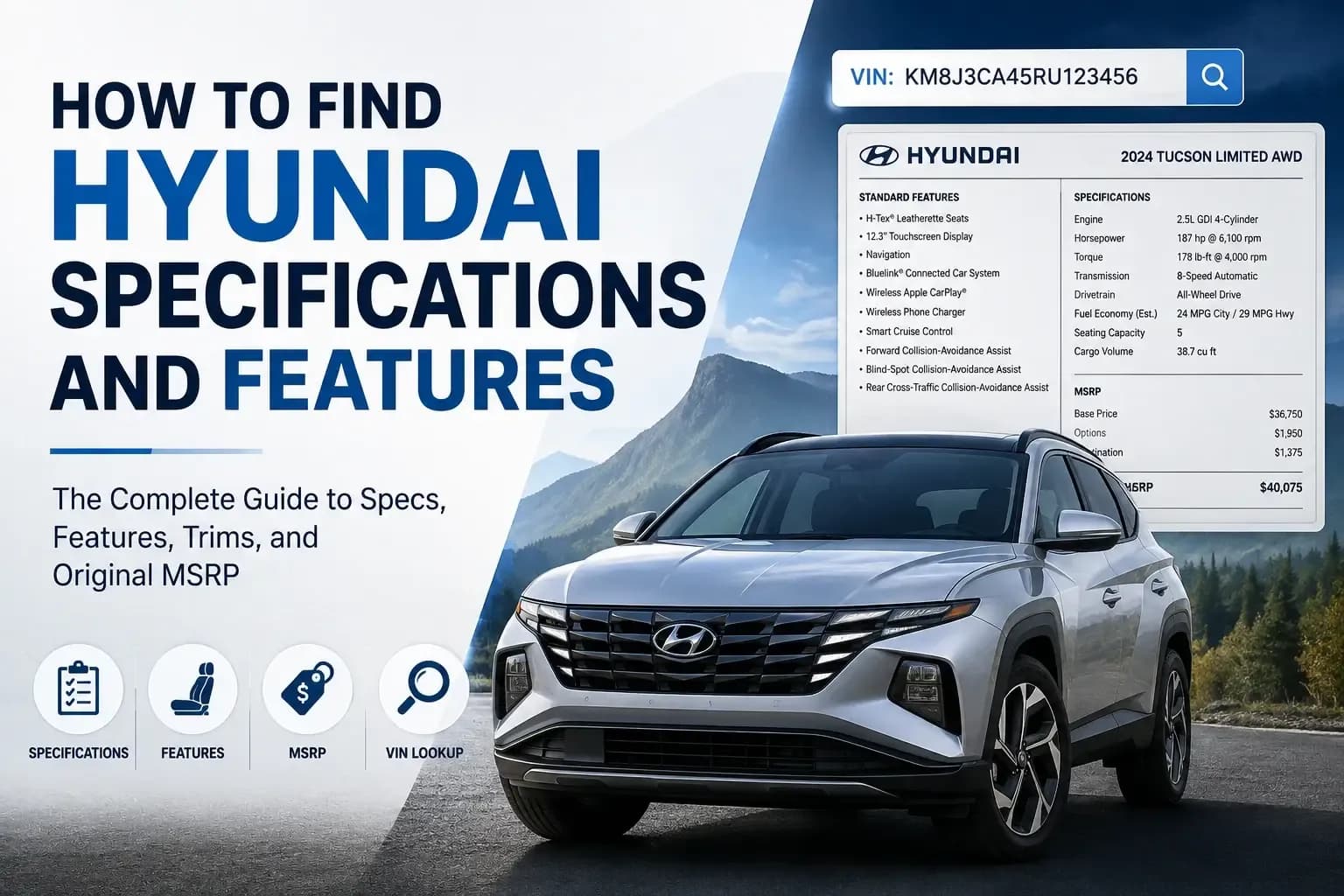
- Get a Hyundai window sticker to see specs, features, and options, MSRP, and more
Finding accurate Hyundai specifications requires more than searching the model name. Engine choices, dimensions, technology, and standard equipment can change between trims and model years. Two vehicles with the same badge may also have different factory options.
For current models, Hyundai USA is usually the best starting point. For a specific used vehicle, VIN-based research can provide more useful details. Window stickers, factory records, owner's manuals, and historical documents can fill other gaps.
What Are Hyundai Specifications and Features?
Hyundai specifications describe measurable or technical details about a vehicle. Features describe the equipment and functions included with that vehicle.
Both matter when comparing cars. Specifications tell you how a vehicle is built and performs. Features tell you what equipment you can actually use.
Hyundai Specifications vs. Features
Common Hyundai specs include:
 Engine displacement
- Horsepower and torque
- Transmission
- Front-wheel drive or all-wheel drive
- Overall length and wheelbase
- Fuel economy
- Cargo capacity
- Fuel tank size
Features include equipment such as heated seats, Apple CarPlay, navigation, a panoramic sunroof, and driver-assistance technology. A feature may be standard on one trim but optional or unavailable on another. This is why the model year and trim should always be checked together.
How to Find Hyundai Specifications by VIN
Searching Hyundai specifications by VIN is especially helpful for used vehicles. The VIN identifies one car, while connected databases can provide additional information about that vehicle.
- 1
Step 1: Find Hyundai VIN
Modern vehicles use a standardized 17-character VIN. NHTSA explains that the VIN encodes specific identifying information about an individual vehicle. - 2
Step 2: Enter VIN
Visit the Hyundai Window Sticker and enter the VIN into the form. - 3
Step 3: Get the Hyundai Window Sticker
See the preview page to see the specifications, and make sure to proceed to payment to get the full Hyundai window sticker
How to Find Hyundai Features by Trim
A Hyundai trim represents a particular equipment level within a model range. Trim structures can change frequently.
A Tucson range, for example, may include names such as SE, SEL, XRT, and Limited. Hyundai's current lineup includes additional trim variations, showing why the model year must be included in any comparison.
Compare Standard Features
Start with the manufacturer's trim comparison for the correct year. Check differences in:
- Infotainment
- Driver-assistance systems
- Seat materials
- Climate control
- Wheels
- Exterior lighting
- Convenience equipment
A feature listed as standard on Limited may be unavailable or optional on a lower trim.
Check Available Packages and Options
Do not confuse trim with package.
A trim is a version of the vehicle. A package groups additional equipment. Individual options may also be available separately, while dealer-installed accessories can be added after production. For a used vehicle, Hyundai Options by VIN can be more useful than assuming every car with the same trim has identical equipment.
Verify the Model Year
Hyundai can change engines, packages, technology, and standard features without changing the basic model name. Always compare specifications for the exact year. A 2024 SEL should not automatically be described using a 2026 SEL equipment list.
How to Find Hyundai Engine and Performance Specifications
Engine information is available through official specifications, vehicle documents, VIN data, and owner's materials. Check the engine type, displacement, horsepower, torque, transmission, drivetrain, fuel type, and towing capacity where applicable.
Engine Specifications
One Hyundai model can have different engines depending on year and trim. The current Kona, for example, offers different horsepower ratings across its trim range. Never identify an engine from the model name alone when several powertrains were available.
Fuel Economy and Drivetrain
Check whether the vehicle uses FWD, AWD, gasoline, hybrid, plug-in hybrid, or electric propulsion. Not every Hyundai offers every powertrain. EPA fuel-economy ratings can also differ by drivetrain, wheels, engine, and configuration.
How to Find Hyundai Dimensions and Capacity
How to Find Hyundai Dimensions and Capacity
Dimensions help determine whether a vehicle fits your garage, parking space, family needs, or cargo requirements. Useful measurements include length, width, height, wheelbase, ground clearance, passenger volume, cargo capacity, seating capacity, and fuel tank size.
Hyundai Model Dimensions Can Vary by Trim
Measurements can change with the generation, drivetrain, wheel-and-tire setup, or body configuration.
Hyundai's current Kona specifications, for example, show differences in vehicle height and ground clearance between certain FWD and AWD configurations. If you are researching something specific like 2024 Hyundai Kona length in inches, use a 2024 source rather than today's model page.
Can a VIN Tell You the Exact Hyundai Trim?
A VIN can help identify a Hyundai's configuration and may identify its trim, but results depend on the database being used. The VIN itself contains standardized identifying information. Additional databases can connect that VIN with more detailed vehicle records.
VIN Information vs. Factory Equipment Information
Basic VIN Information
A basic decoder identifies:
- Year
- Make
- Model
- Engine
- Body type
Those details are not simply "read" from individual VIN characters. They may come from databases linked to that VIN. A window sticker lookup can therefore provide different information from a basic VIN decoder.
Why Hyundai Specifications Can Change by Model Year
Hyundai updates its vehicles regularly. A new model year can bring changes even when the vehicle looks almost identical. The current Tucson range illustrates this well, with multiple gasoline and hybrid trim structures and equipment differences. Always verify the exact model year before using specifications in a purchase comparison, listing, repair decision, or parts search.
Why Is It Important to Verify Hyundai Specifications Before Getting a Used Hyundai?
Online information is most useful when it supports an inspection rather than replacing one. Start with the VIN, then compare vehicle-specific records with the car in front of you.
Match the VIN to the Vehicle
Check that the dashboard VIN matches the door label, title, registration, and seller's records. A mismatch requires investigation before you rely on any specifications returned by a lookup.
Confirm the Trim and Equipment
Compare the advertised trim with VIN data and factory documentation. Then check whether the listed equipment is physically present.
Check MSRP and Options
Expensive factory packages can explain why two examples of the same model started at different prices. Remember that previous owners may have replaced wheels, changed trim, or added accessories. Factory records describe the original configuration, not necessarily the vehicle's current condition.
Conclusion on Finding Hyundai Specs and Features
Finding accurate Hyundai specifications starts with checking the right source for the information you need. Hyundai's official website works well for current models, while a Hyundai window sticker, or factory record can provide more vehicle-specific details. Always verify the exact model year, trim, and equipment, especially when researching a used Hyundai. Comparing these details with the physical vehicle can also help confirm that the specifications match its original configuration.