
Search Window Sticker
Table of Contents
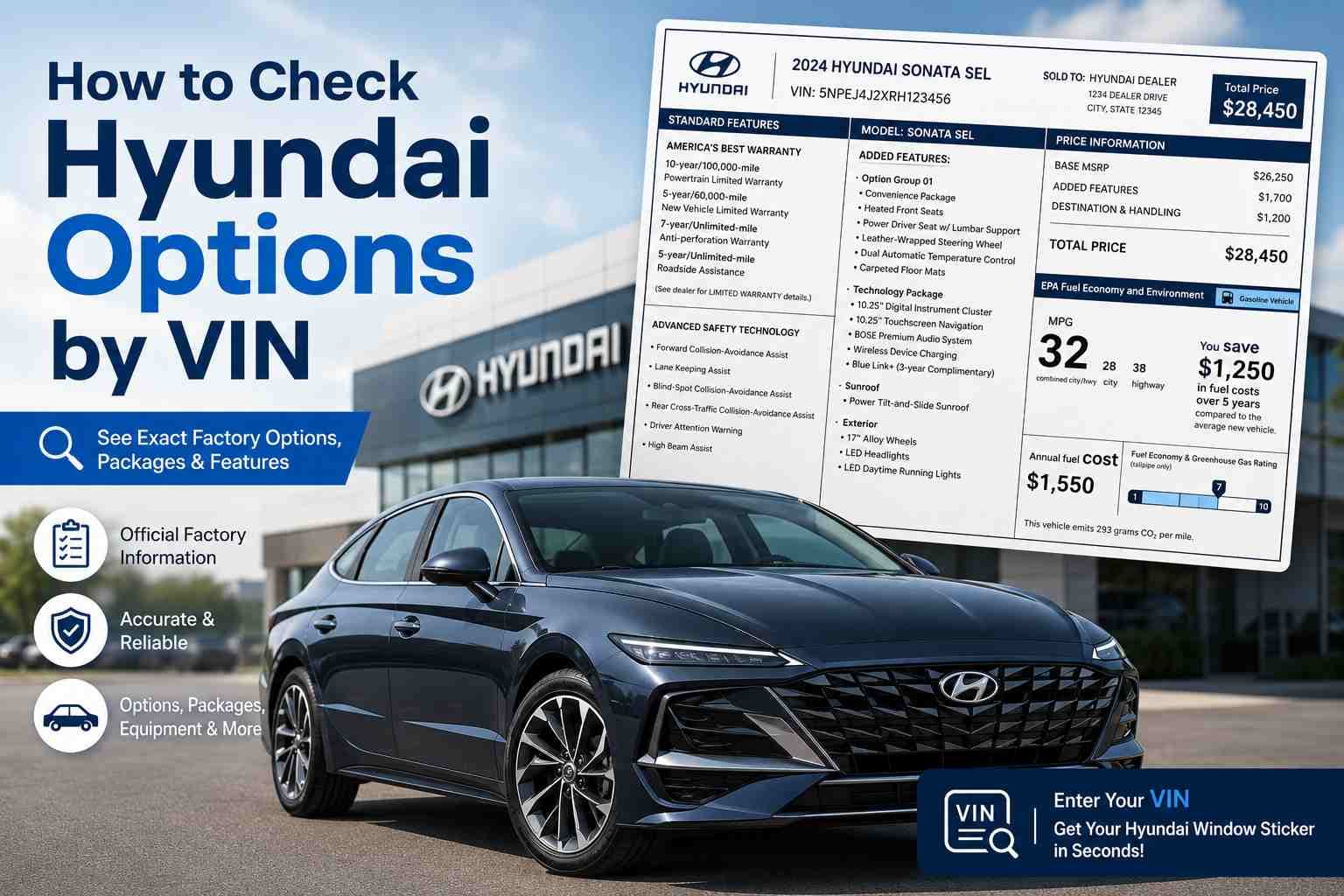
Buying a used Hyundai is not always straightforward. A seller may list the wrong trim, confuse optional equipment with standard features, or claim the vehicle includes a package it never had. Since many Hyundai models look similar from the outside, it can be difficult to confirm what was installed at the factory.
Fortunately, the Vehicle Identification Number (VIN) can help verify many of those details. While a VIN alone does not reveal every feature, it provides enough information to identify the vehicle's specifications and, in many cases, its factory-installed options and packages when paired with the right resources.
If you are in the market to purchase a used Hyundai, you will need to check the Hyundai options by VIN through a window sticker to make sure you purchase the right vehicle without getting scammed.
What Counts as a Hyundai "Option" (and Why It's Worth Checking)
Many buyers use the terms trim, package, and option interchangeably, but they describe different things. Understanding the difference makes it easier to verify a vehicle's equipment.
Options vs. Packages vs. Trim Levels: What's the Difference?
Many people use the terms trim level, package, and option interchangeably, but they refer to different parts of a vehicle's configuration. Understanding the difference makes it much easier to verify what a Hyundai was originally built with.
Trim Levels
A trim level is the specific version of a Hyundai model, such as SE, SEL, Limited, or Calligraphy. Each trim comes with a predefined set of standard features, including certain technology, safety equipment, interior materials, and styling elements.
Factory Options
A factory option is an individual feature that can be added to a vehicle during production. Depending on the model and trim, options may include a panoramic sunroof, Bose premium audio system, wireless charging, ventilated seats, or other upgrades.
Option Packages
An option package bundles several factory options together under a single package name. Hyundai commonly offers packages that combine technology, convenience, safety, or appearance upgrades. Since package availability varies by model year and trim level, two Hyundai vehicles with the same trim may still have different factory equipment.
Why Verifying Hyundai Options Matters?
Factory-installed options can significantly affect a Hyundai's value, functionality, and resale price. Verifying these features with the VIN ensures you get the right vehicle with your desired options and protects you from potential scams
Understanding Your Hyundai VIN
Every Hyundai built since 1981 has a unique 17-character VIN. Besides identifying the vehicle, the VIN contains information about where it was built, the model, engine, body style, model year, and production sequence.
Where to Find Your Hyundai VIN
To find the Hyundai VIN, you can examine the location on both the vehicle and paperwork. These are spots you can check to find the VIN:
 Driver’s side windshield
- Doorjamb
- Engine bay
- Vehicle’s paperwork such as registration, title, and bill of sale.
How a Hyundai VIN is Structured
The VIN is divided into three sections.
| VIN Section | Character Positions | What It Identifies |
|---|---|---|
WMI | 1–3 | Manufacturer and country of origin |
VDS | 4–9 | Model, body style, engine, restraint system |
VIS | 10–17 | Model year, assembly plant, production sequence |
Example VIN: KMHLM4DG5RU123456 (illustrative only)
WMI (Positions 1–3): Manufacturer & Region
The first three characters identify the manufacturer and where the vehicle was produced.
For example, many Hyundai passenger vehicles begin with prefixes such as KMH, although other prefixes are used depending on the manufacturing location and vehicle type.
VDS (Positions 4–9): Model, Body, Engine
Characters four through nine describe important vehicle specifications, including:
- Vehicle model
- Body configuration
- Engine type
- Safety restraint system
- Check digit
These characters help identify the correct trim and mechanical configuration, forming the basis for option lookups.
VIS (Positions 10–17): Model Year, Plant, Serial Number
The last eight characters identify:
- Model year
- Assembly plant
- Unique production serial number
These details distinguish one Hyundai from another, even if two vehicles share the same model and trim.
How to Check Hyundai Options by VIN Number
To check Hyundai options by VIN, you can use an online service and get it done within seconds. Follow these simple steps to get the result in less than a minute.
- 1
Step 1: Find the VIN
Check the driver’s side doorjamb, engine bay, or on the vehicle’s paperwork. - 2
Step 2: Enter the VIN
Visit Hyundai options by VIN and click the form. Then, enter the VIN into the form. After that, click on the button to submit the VIN. - 3
Step 3: Get the Window Sticker
Check the preview page and proceed to payment to get the full Hyundai window sticker. Don’t forget to check the car’s options and more.
What a VIN Can (and Can't) Tell You About Options
Although the VIN is extremely useful, it has limitations.
Data You Can Reliably Get
Using the VIN with reliable databases can usually confirm:
- Model
- Trim level
- Engine
- Transmission
- Body style
- Model year
- Factory-installed packages
- Most factory-installed options
- Manufacturing plant
This information is generally consistent because it comes from the vehicle's original production records.
What a VIN Can (and Can't) Tell You About Options
A Hyundai VIN is a powerful tool for identifying a vehicle, but it does not tell the whole story. While it can reveal many factory specifications when used with the right databases, some equipment simply is not encoded in the VIN.
Data You Can Reliably Get
When decoded through Hyundai records or a reliable window sticker lookup, a VIN can typically confirm:
- Vehicle model and trim level
- Engine and transmission
- Body style
- Model year
- Assembly plant
- Original factory-installed packages
- Most factory-installed options
- Exterior and interior color (depending on the data source)
Because this information comes from the vehicle's original production records, it is generally accurate and consistent. However, the amount of detail depends on the lookup service being used. Basic VIN decoders usually provide only core specifications, while factory build records and original window stickers offer a much more complete equipment list.
Common Blind Spots: Dealer-Installed & Aftermarket Add-Ons
Not every feature on a Hyundai is linked to the VIN. Accessories installed after the vehicle left the factory are usually absent from manufacturer records.
Common examples include:
- Tow hitches
- Roof racks
- Window tint
- Running boards
- Wheel upgrades
- Remote starters
- Aftermarket audio systems
- Suspension modifications
These additions can change the appearance or functionality of the vehicle, but they are not considered factory-installed options. If verifying these features is important, inspect the vehicle in person or ask the seller for installation records.
Common Mistakes to Avoid When Checking Hyundai Options
Avoid these common mistakes when verifying Hyundai options by VIN:
Assuming Every Feature Is Stored in the VIN
A VIN identifies how the vehicle was built at the factory, but it does not contain every piece of equipment. Many accessories installed after production will never appear in VIN records.
Confusing Trim Levels With Optional Packages
A Limited, SEL, or Calligraphy trim comes with standard equipment, but optional packages may differ between vehicles of the same trim. Always verify the actual factory build instead of relying on the trim name alone.
Relying Only on Free VIN Decoders
Free VIN lookup tools are useful for confirming basic specifications, but they rarely include complete factory option lists. Cross-check the results with the original window sticker or a trusted build sheet lookup whenever possible.
Assuming Dealer-Installed Accessories Are Factory Options
Dealers often install accessories before selling a vehicle, but these upgrades are separate from Hyundai's factory equipment. They typically do not appear in production records tied to the VIN.
Ignoring Model Year Differences
Hyundai frequently changes available packages, safety features, and technology from one model year to the next. Two vehicles with the same trim may have different equipment if they were built in different years.
Trusting Online Listings Without Verification
Vehicle listings can contain mistakes or incomplete information. Before purchasing a used Hyundai, compare the advertised features with the VIN records and, if possible, the original window sticker.